



Motherboard repair: When is it possible?
July 30, 2026
The risks of using a cracked screen: Why you shouldn’t wait to have it repaired
July 30, 2026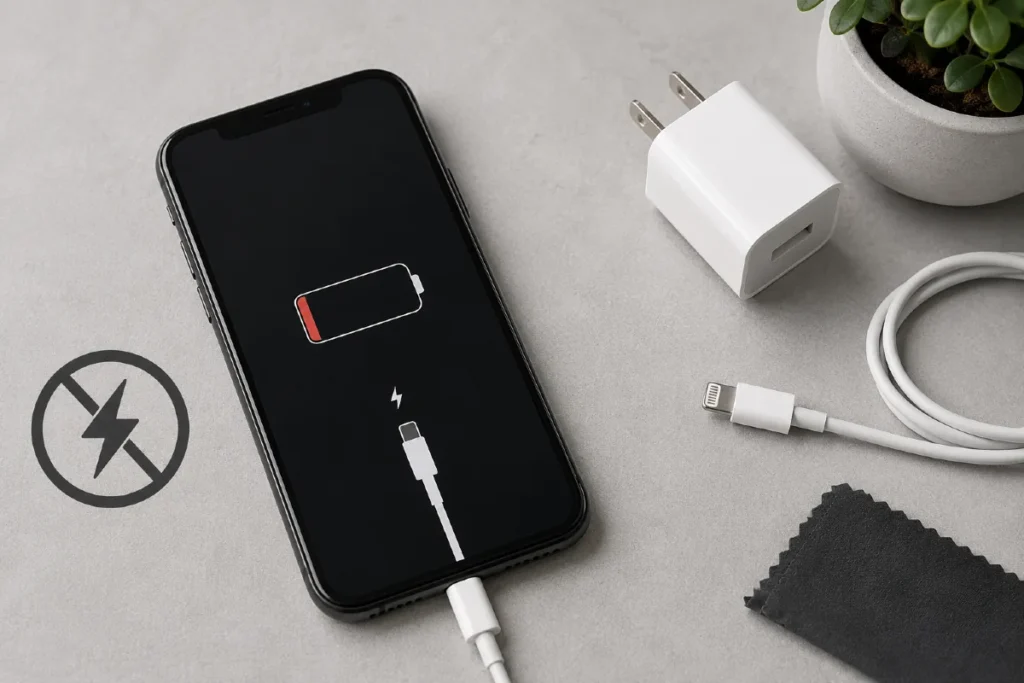
Is your iPhone not charging? Here are the checks to perform before replacing it
Is your iPhone not charging, is the battery stuck at a low percentage, or does nothing happen when you plug in the cable? Before deciding that your phone is beyond repair or spending several hundred dollars on a new device, there are several simple checks you can perform.
At Procell, a specialist in iPhone, cell phone, tablet, smartwatch, game console, and motherboard repair in Laval, we find that many charging issues can be fixed quickly and at a lower cost.
Discover the most common causes of an iPhone that won't charge and the solutions to try before replacing it.
Why is your iPhone not charging?
Several factors can prevent your iPhone from charging properly. Fortunately, the battery is not always the cause.
The most common causes include:
-
a defective Lightning or USB-C cable;
-
a damaged power adapter;
-
a clogged charging port;
-
a worn-out battery;
-
a software issue;
-
a motherboard failure;
-
water or drop damage.
A diagnostic can quickly identify the source of the problem.
1. Check the cable and charger
First, try another certified charging cable as well as another power adapter.
Worn or poor-quality cables are one of the main causes of charging problems.
If your iPhone starts charging normally with another cable, the problem is quickly resolved.
2. Inspect the charging port
Over time, the Lightning or USB-C port can accumulate:
-
dust;
-
pocket lint;
-
debris.
Even a small buildup can prevent the cable from making proper contact.
Carefully inspect the connector. If necessary, have it cleaned by a professional to avoid damaging the internal pins.
3. Restart your iPhone
A simple software issue can sometimes prevent charging from starting normally.
Try:
-
a full restart;
-
updating iOS if an update is available;
-
a force restart according to your iPhone model.
In some cases, this is enough to resolve the problem.
4. Check the battery health
Lithium-ion batteries gradually lose their capacity over time.
If your battery is significantly worn, it may:
-
charge very slowly;
-
drain quickly;
-
shut down unexpectedly.
Replacing the battery is often much more affordable than buying a new iPhone.
5. Be careful about water damage
Even if your iPhone appears to work after getting wet, moisture can cause:
-
corrosion;
-
short circuits;
-
charging circuit failure.
The sooner the device is inspected, the better the chances of repairing it.
6. A drop can damage the charging circuit
After an impact, the charging connector or certain electronic components may be damaged.
In many cases, a microsoldering repair on the motherboard can restore the device to working condition.
7. The problem may be with the motherboard
If all the previous checks are successful but the iPhone still refuses to charge, the problem may be caused by the power management circuit located on the motherboard.
This type of repair requires specialized equipment, but it is often possible to repair only the defective component instead of replacing the entire device.
Should you replace your iPhone?
Not necessarily.
Many users replace their phones when a simple repair would have been enough.
Before investing in a new device, it is best to have a professional diagnostic performed. In many cases, the repair costs only a fraction of the price of a new iPhone.
Why have your iPhone repaired at Procell in Laval?
At Procell, we quickly diagnose charging problems to identify their actual cause.
Our technicians can work on:
-
batteries;
-
charging connectors;
-
power circuits;
-
motherboards;
-
water damage;
-
complex electronic failures.
Our goal is always to prioritize repair whenever possible, helping you save money while extending the life of your device.
Conclusion
An iPhone that won't charge is not necessarily ready for the recycling bin. In many cases, prompt service can resolve the problem without having to replace the device.
Before deciding to buy a new phone, have your iPhone assessed by a specialist. You may be surprised by the repair options available.
Trust your iPhone to Procell in Laval
Is your iPhone not charging or experiencing a battery issue? The team at Procell is here to help.
We offer professional diagnostics and fast repairs for iPhones, Android phones, tablets, smartwatches, game consoles, and motherboards.
Visit our store in Laval or contact Procell today. We'll find the most cost-effective solution to bring your device back to life without forcing you to replace it.
